Your website is often the first impression your business makes. At Yola, we’re always working on ways to help you create a site that feels professional, unique, and easy to maintain. Our latest product updates bring more design flexibility, better customization options, and fresh templates tailored to different industries. Here’s what’s new.
90+ new templates to choose from
Finding the right look for your website just got easier. We’ve added more than 90 professionally designed templates to the Template Gallery. So now, whether you’re in e-commerce, consulting, real estate, transport, or cleaning services, you’ll find layouts designed to fit your business.
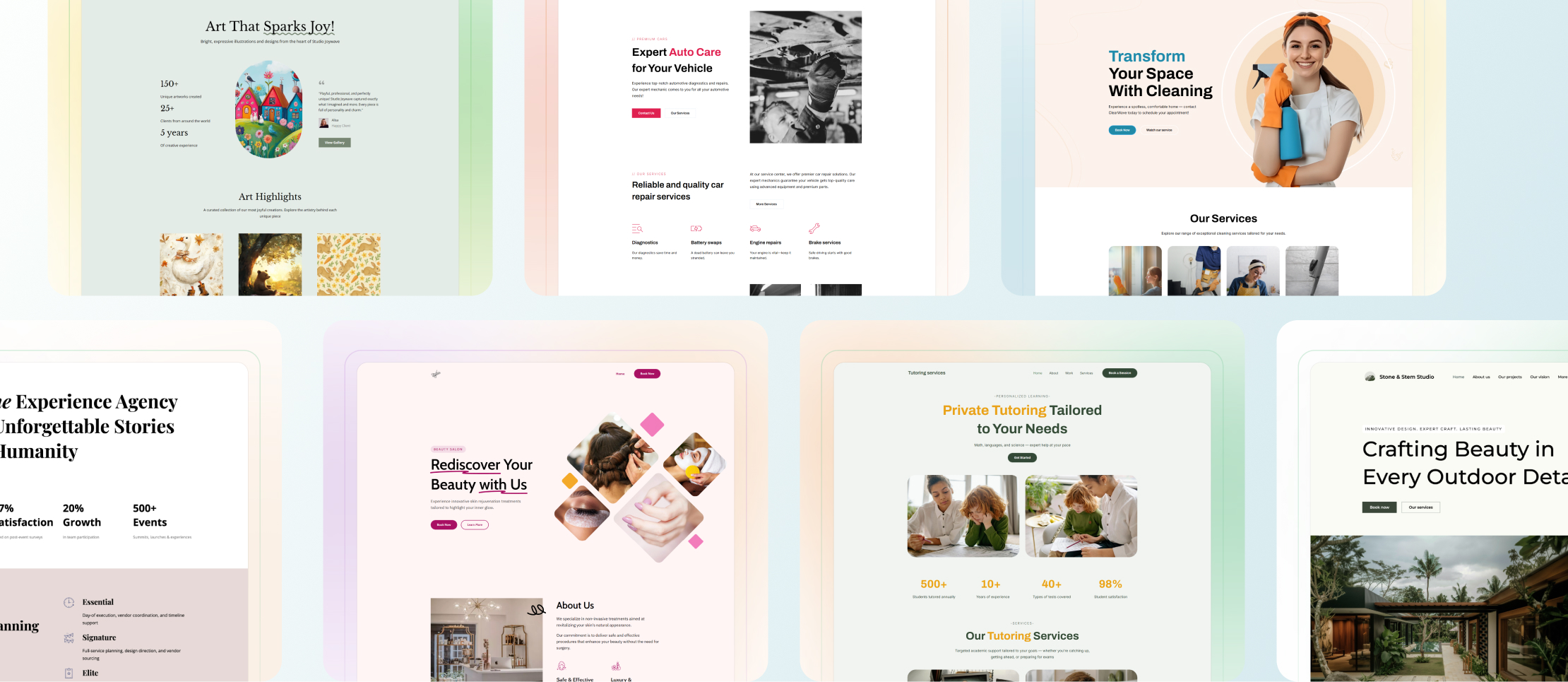
These templates help you:
- Start faster with designs already tailored to your industry
- Build confidently with layouts optimized for usability and current trends
- Reach your audience with pre-built content blocks that save time
Custom block enhancements
Design flexibility is key when you want your website to stand out. That’s why we’ve upgraded the Custom block.
You can now:
- Resize columns individually or across the block
- Apply color schemes to single columns or the entire layout
- Adjust spacing for a cleaner look
- Round corners for a modern style
- Control alignment to balance your design
- Stretch columns to fill the container for professional, grid-like layouts
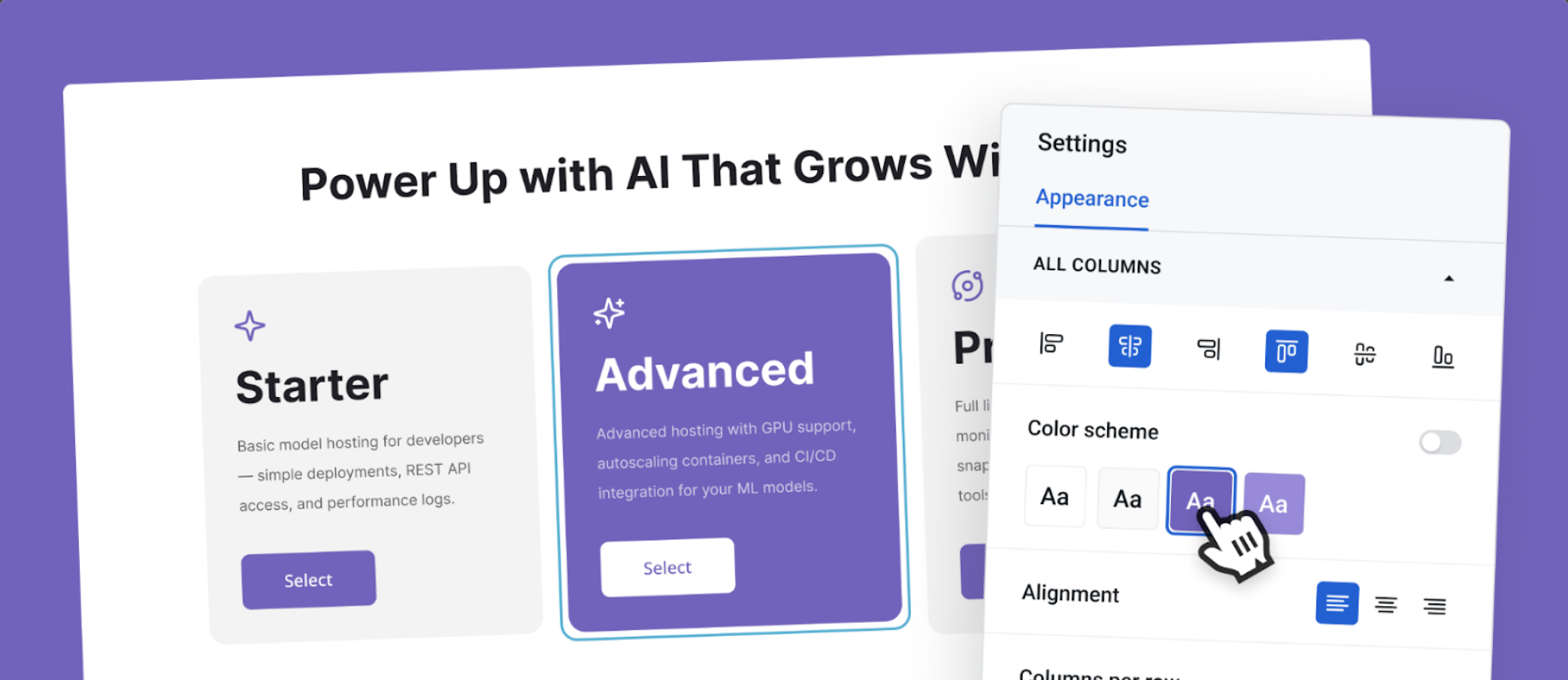
These improvements mean you can achieve a polished, customized look without needing design skills.
Read how to use Custom block settings in detail in our comprehensive tutorial.
Advanced image layout (BETA)
Sometimes a single image isn’t enough to tell your story. The new Advanced image layout allows you to layer images within a block, combining main visuals with backgrounds, icons, or decorative elements. This gives your website more depth and a truly personalized look.
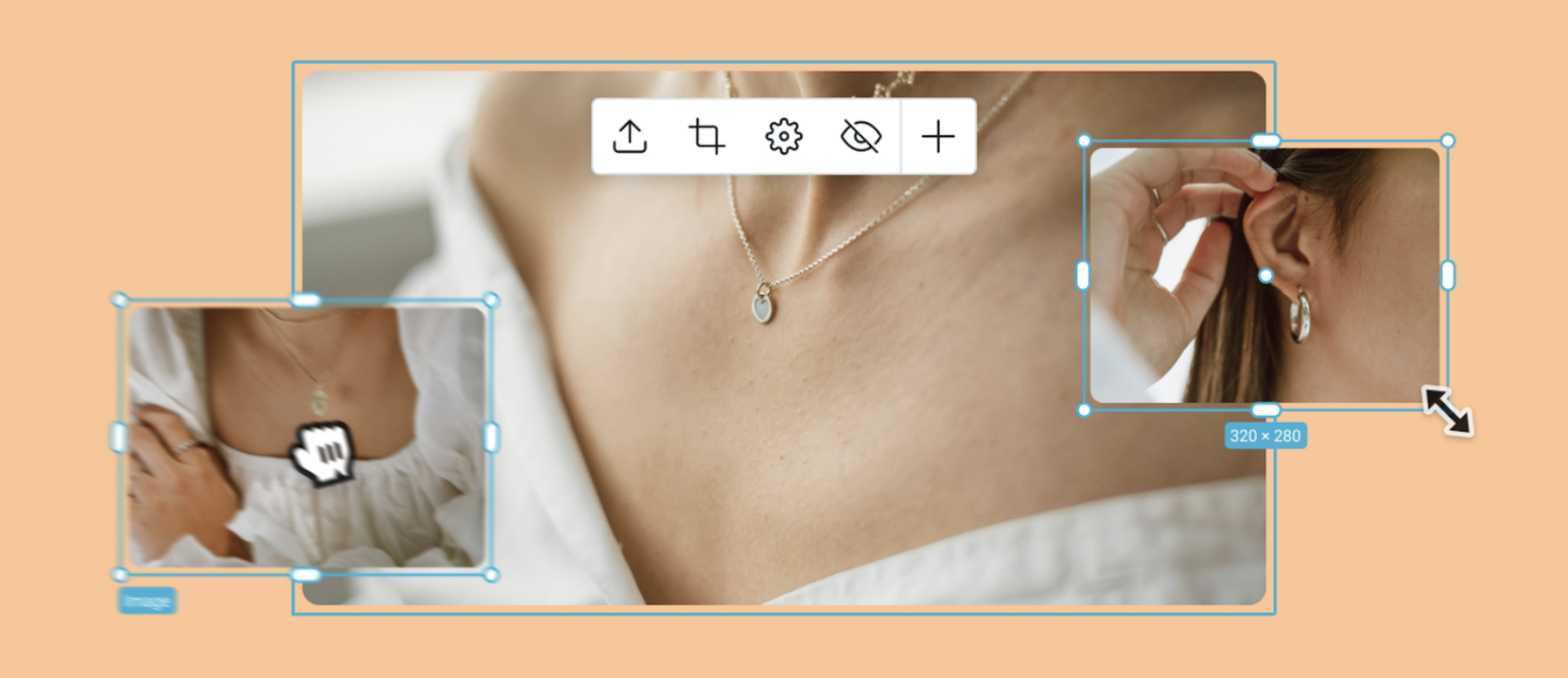
Since this is a beta feature, your feedback will help us refine it further.
Explore the Advanced image layout feature in detail in our tutorial.
Advanced color settings
Color is one of the strongest tools for branding. Our new Advanced color settings make it easy to maintain a visually consistent website that reflects your style. You can now update backgrounds, buttons, navigation, and typography across the entire site with a single edit.
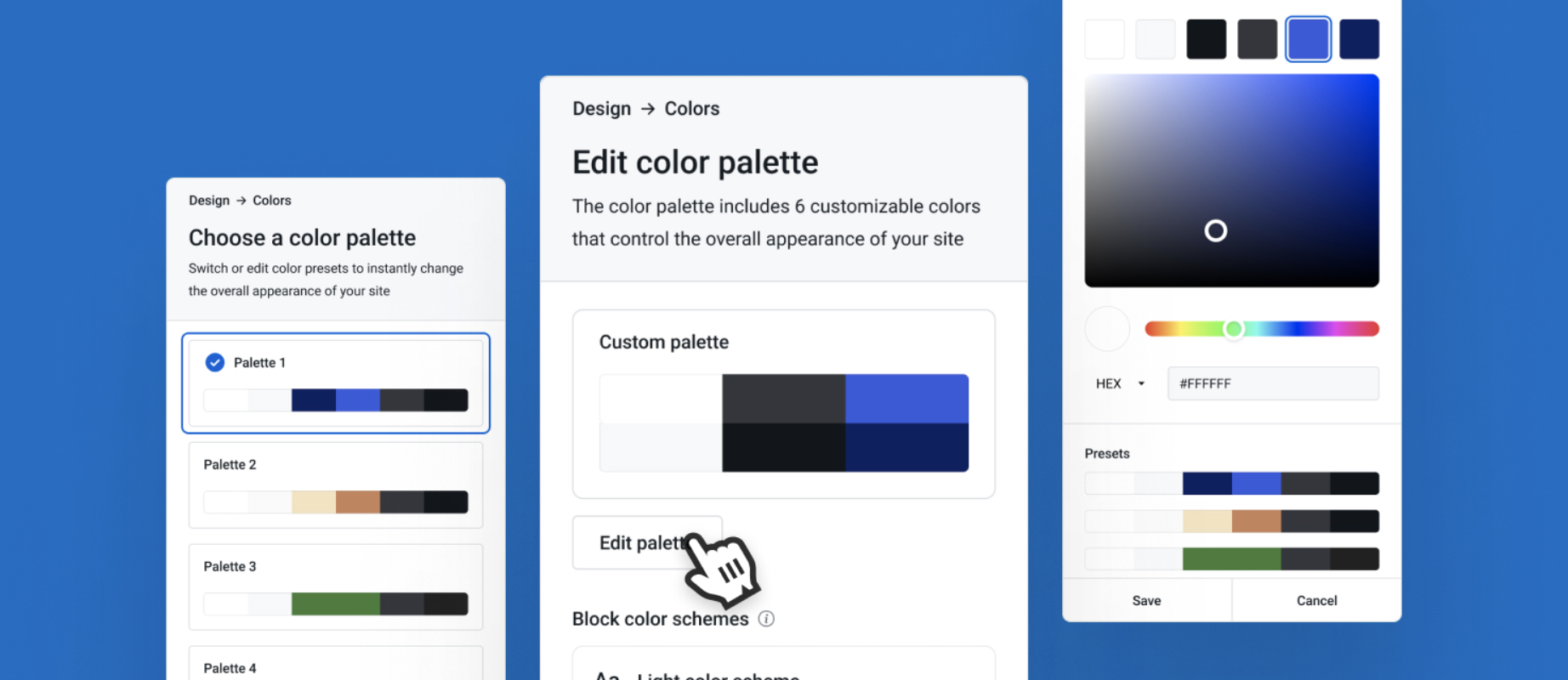
Beginners can pick from designer-curated palettes for a polished look.
Advanced users and premium plan customers can fine-tune every detail for a fully branded experience.
Learn how to customize colors with our Help Center article, Creating a custom color palette.
Other styles design menu
The Other styles menu helps you fine-tune the details. You can adjust the radius of corners for columns and media, choosing between sharp, modern edges or softer, rounded corners. It’s a small touch that makes your site feel more personal and on-brand.
Read how to use the Other styles menu here.
Bringing it all together
These updates give you more creative control over your website without adding complexity. Whether you’re starting from one of the new templates, refining colors, or experimenting with image layouts, you’ll find it easier than ever to create a professional online presence with Yola.