Selling online gives your business reach, trust, and flexibility. A professional website becomes your digital storefront, open 24/7 to showcase products and connect with customers. With Yola, setting up an online store is simple and affordable, even if you’ve never sold online before.
This guide walks you through the 10 essential steps to start an online store in 2025, and shows how Yola website builder makes each step easier with built-in tools and ready-to-use features.
10 simple steps to launch a successful online store in 2025
Here’s your step-by-step guide that can help you create an online store and start selling online.
Step1. Choose the right ecommerce platform to make a profitable online store
Choosing the right ecommerce platform is one of the most important decisions for your online store. The platform you pick will determine how easy it is to set up your store, manage existing products and add new products (it should work well for both physical products and digital products), accept payments, and grow your business. A poor choice of ecommerce platform for online sales can lead to frustration, higher costs, and limitations as your business expands.
When evaluating online store builders, consider these key factors:
- Ease of use: Look for a store builder that requires minimal technical knowledge. You want to focus on selling, not coding.
- Design flexibility: Ensure the ecommerce store platform offers customizable templates and blocks so your online store reflects your brand’s style and the products you sell.
- Ecommerce features: Check for essential tools like payment gateways, shipping options, inventory management, and product variations.
- Scalability: Make sure the platform you’re going to build an online store with can grow with your business, whether you add more products, new categories, or advanced features.
- Support and resources: A platform with tutorials, knowledge bases, and responsive support will save you time if you have any questions or problems.
- SEO and marketing tools: Built-in SEO and marketing features help customers find your store and encourage repeat purchases. Keep in mind what kind of marketing campaigns you are planning to launch (email marketing, social media marketing, etc.).
Why Yola is a great choice
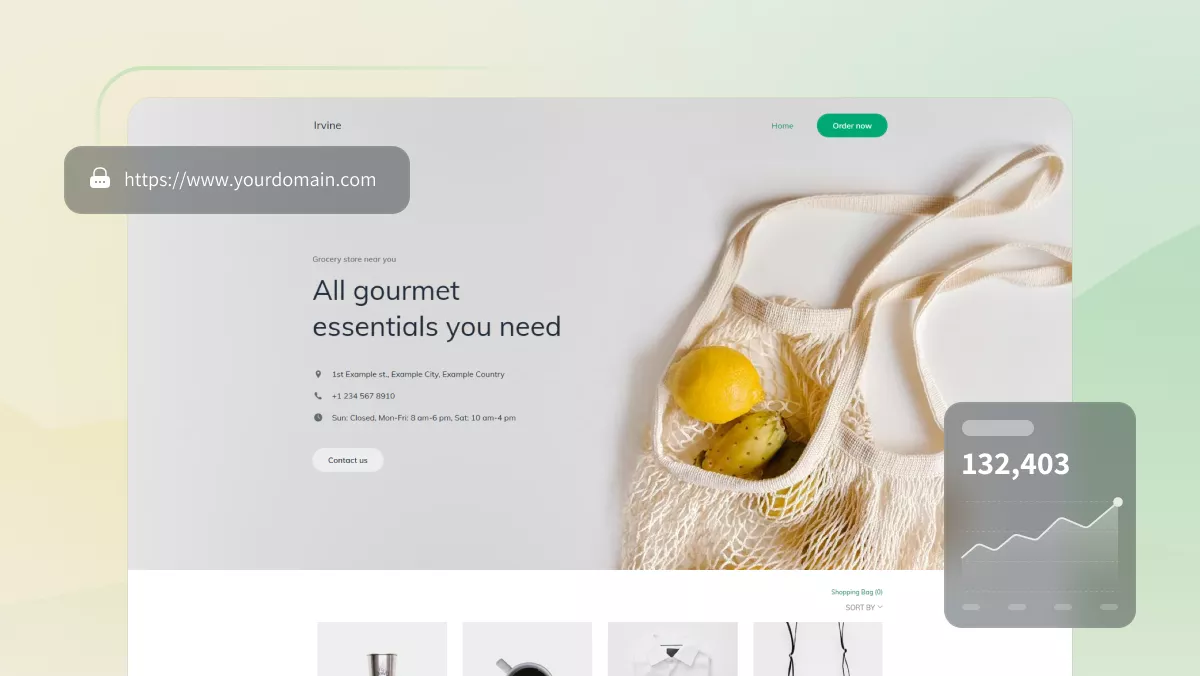
With Yola’s WYSIWYG Sitebuilder, you see exactly how your pages will look as you build them, making setup intuitive and visual, no technical expertise required. By choosing Yola as your online store builder, you focus on your products and customers rather than technical hurdles, letting your online store grow efficiently from day one.
Step 2: Make a website plan
Jumping straight into making your online store without a plan can feel exciting, but it usually leads to confusion for both you and your visitors. A clear plan acts like a blueprint, helping you decide what pages you need, what content belongs where, and how customers will move through your store.
Why planning matters
- Clarity for your visitors: A structured online shop makes it easy for people to find what they’re looking for, whether it’s a product, contact info, or shipping details. This reduces frustration and keeps them browsing longer.
- Better SEO: Search engines reward clear navigation and organized content. When your site is easy to crawl and well-structured, it’s more likely to rank higher and attract more traffic, which will help you grow your online store.
- Professional perception: A store with logical categories and smooth navigation signals trust and reliability. Shoppers are more likely to buy when they feel confident in the experience. You have to think about it before your store is live.
How to plan effectively
- Map your key pages: Start with the essentials, such as Home, Products, About, Contact, and FAQs. Add categories if you sell multiple types of products.
- Organize product categories thoughtfully: Group similar items together so visitors can scan quickly and find what they need without extra clicks.
- Think from the customer’s perspective: What’s the easiest path from homepage to checkout? If visitors have to dig, they’ll leave.
- Include trust pages: An About page, testimonials, and policies (shipping, returns, privacy) build credibility.
Step 3: Choose a domain name for your online store
Your domain name is your store’s online address, it’s how customers find and remember you. A clear, professional domain builds credibility and makes your brand easier to share. It should reflect your store name as well.
Tips for choosing a strong domain:
- Keep it short, simple, and easy to spell.
- Avoid numbers and special characters.
- Use a name that reflects your products or brand identity.
- Choose a .com if possible, as it’s the most widely recognized extension.
A strong domain increases trust, supports SEO, and makes your store memorable. With Yola, you get a free domain (.com or other) for the first year on annual plans, plus secure web hosting for fast loading and reliability.
Step 4: Use AI to polish your website
Launching an online store involves dozens of small tasks, from writing product descriptions to polishing your brand voice and designing pages that convert. AI can speed this up. Whether it’s generating clear copy, brainstorming marketing ideas, or keeping your design consistent, AI tools give you a head start.
With Yola, the most useful tools are built right into the Sitebuilder, helping you move faster and focus on what matters most: selling.

Step 5: Use high-quality images
Photos are often the first thing customers notice. Blurry or inconsistent images can cheapen your brand, while crisp, professional photos increase trust and sales. To launch your store successfully, it’s essential to use beautiful and appealing images.
Tips for strong visuals:
- Use clear product photos from multiple angles.
- Add lifestyle images to show products in context.
- Keep the style consistent across all images for a polished look.
High-quality visuals improve user experience and can even boost SEO (when paired with descriptive alt text).
Step 6: Offer online payments
Nothing drives customers away faster than a clunky checkout. A smooth, secure payment process builds confidence and reduces cart abandonment.
What to offer:
- Multiple payment methods (credit card, PayPal, etc.).
- Clear pricing with no hidden fees.
- Secure transactions with SSL certificates.
A seamless checkout builds trust and encourages repeat purchases. Yola integrates with over 70 payment providers, giving your customers flexibility and peace of mind.
Step 7: Feature customer testimonials
Shoppers trust other shoppers more than marketing copy. Testimonials and reviews act as social proof, showing new visitors that real people have had positive experiences with your store.
How to use them:
- Add quotes, star ratings, or video reviews.
- Place testimonials near product pages or checkout to reduce hesitation.
- Refresh reviews regularly to keep them current.
Testimonials boost credibility and conversions. Yola’s Testimonials block makes it easy to display reviews in a clean, professional format.
Step 8: Optimize for local search to attract customers
If you also sell locally, you want nearby customers to find your store online. Local SEO ensures your business appears when people search for products “near me.”
Tips to improve local SEO:
- Use location-specific keywords in your content.
- Create a Google Business Profile and keep it updated.
- Encourage customers to leave Google reviews.
- Add your store’s address and a map on your site.
Local optimization increases visibility, attracts more targeted traffic, and drives both online and offline sales.
Step 9: Ensure mobile compatibility and speed of your new online store
Most customers will visit your store on their phone. If your site loads slowly or looks awkward on mobile, they’ll leave before buying.
What to check:
- Mobile responsiveness (content adjusts to any screen size).
- Fast loading times (optimize images and hosting).
- Easy navigation and clear buttons on smaller screens.
Mobile-friendly sites not only improve user experience but also rank better in search engines. Every Yola template is mobile-optimized by default, so your store looks great on any device.
It is also highly recommended to test your store regularly to check whether all products or services are visible, the product descriptions are accurate, the checkout process works well, and whether or not your store needs improvement.
Step 10: Monitor performance of your ecommerce website
Your store isn’t finished once it’s live. Tracking performance helps you see what’s working and where to improve.
What to track:
- Page views and traffic sources.
- Bounce rates and time on site.
- Conversion rates and abandoned carts.
Tools to use: Google Analytics for deep insights and Yola’s Traffic Builder (available on Gold) for SEO and keyword tracking.
Monitor and optimize your store regularly. This lets you spot online business trends, adjust strategies, and continuously improve your store’s success.
Start with Yola’s Online Store block
Once you’re ready, adding a store to your website takes just a click. Every Yola account includes a free Online Store plan with:
- 3 products
- 1 product category
- No transaction fees
- A built-in shopping cart
To add the Online Store block, just follow these steps in Sitebuilder:
- Click Add a block (+) on your page.
- Choose the Online Store block from the library.
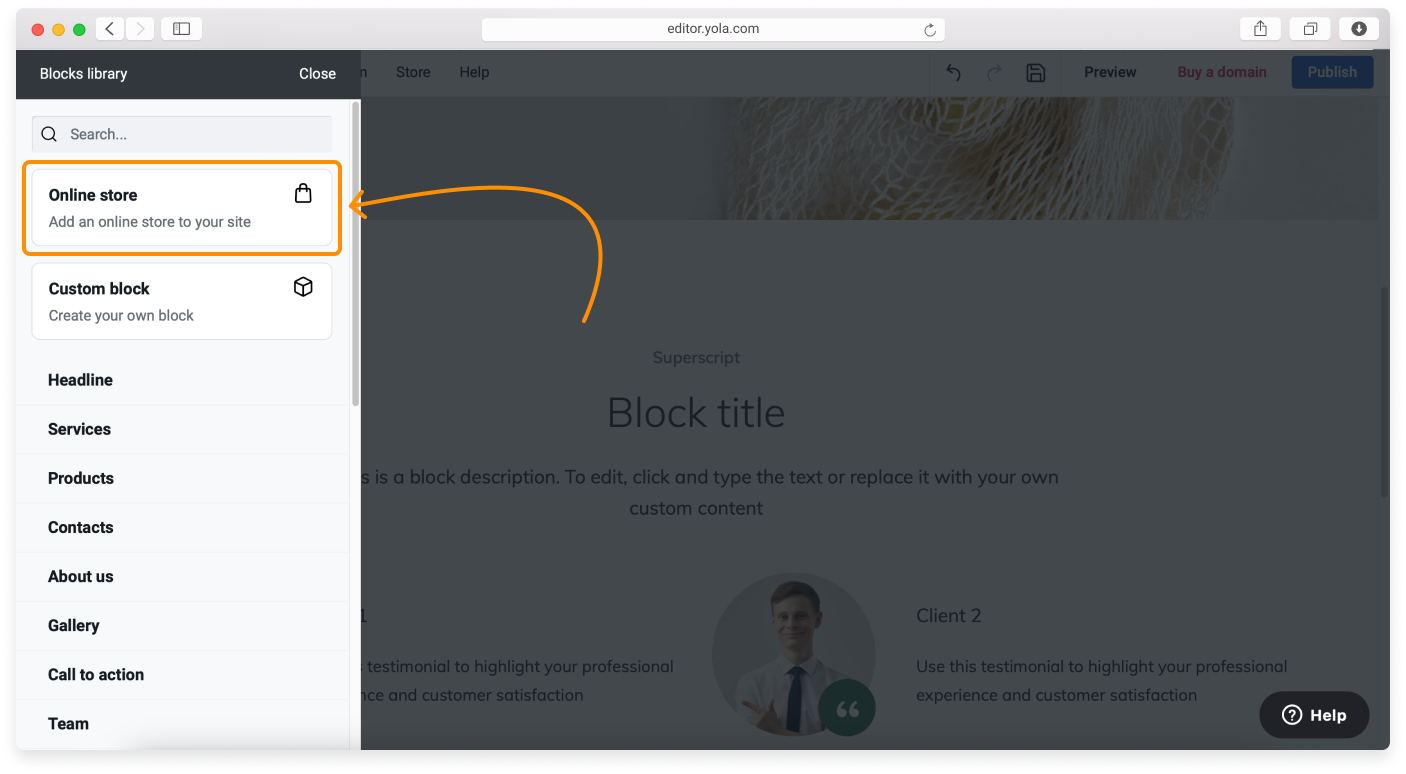
From there, you can:
- Add products and set up payments
- Adjust layout and colors to match your brand
- Preview changes instantly before publishing
With Yola, you don’t just get an online shop, you get a professional sales channel you can manage anywhere, anytime. You can control your store inventory, build your marketing strategies, and manage your online store anytime.
Bonus: New apps to enhance your online store
To help you sell smarter and connect with buyers more effectively, Yola’s Online Store now supports new apps that add real value to your business.
GS1 Barcode Generator
Selling on multiple channels, like marketplaces, retail, and your own site, requires barcodes for product identification. The GS1 Barcode Generator gives you official, globally recognized barcodes that ensure your products are traceable, compliant, and ready for large-scale sales. This helps you avoid delays when listing products on platforms like Amazon and keeps your catalog organized as you grow.
WhatsApp Start Chat Button
Shoppers often hesitate right before buying because they have a last-minute question. The WhatsApp Start Chat Button turns that hesitation into a conversation. With one click, customers can connect directly with you on the world’s most familiar messaging app. That means fewer abandoned carts, faster customer service, and stronger relationships.
Google Reviews
Trust is the foundation of ecommerce. The Google Reviews app lets you display real, verified reviews directly on your website. This boosts your credibility, reassures potential buyers, and helps turn visitors into paying customers. With auto-sync and unlimited widgets, your reviews stay up-to-date and visible where they matter most.
Ready to create your online store today?
For online sellers, the path to growth starts with the right platform. When you make an online store with Yola, you get an accessible setup that doesn’t require coding skills, plus tools that help you present your brand professionally. By following these steps to build an online store, you can move from idea to launch quickly and start turning visitors into loyal customers.
Whether you’re offering a single product or services online, or planning a full catalog, your store gives you control and flexibility. It’s easy to start selling online, manage orders, and adapt as your business grows. And because every decision is backed by clear guidance, you can make informed choices that strengthen your presence and improve online purchases.
Now is the time to create your own online store, and Yola makes it straightforward to launch a store using simple, effective tools that fit your needs.